Your family's AI assistant.
Snap a photo of the school flyer and the practices land on your calendar. Add groceries, tasks, and events in plain language, from any device. Everyone in your household stays in sync.
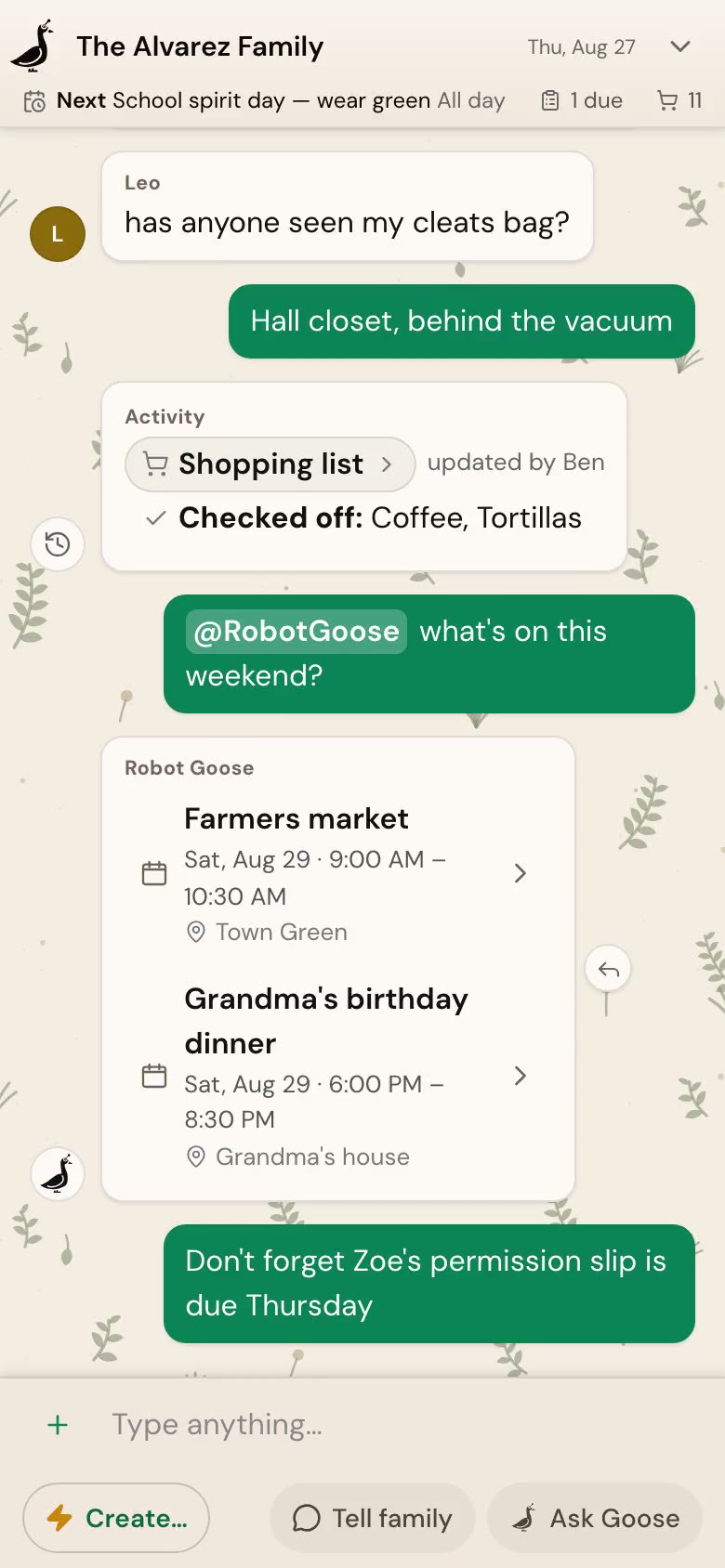
Snap it, send it, done
The flyer on the fridge becomes a schedule.
Take a picture and ask. Robot Goose reads the details — days, times, the field number — and puts every practice on the family calendar. On your phone, your laptop, whatever's closest.
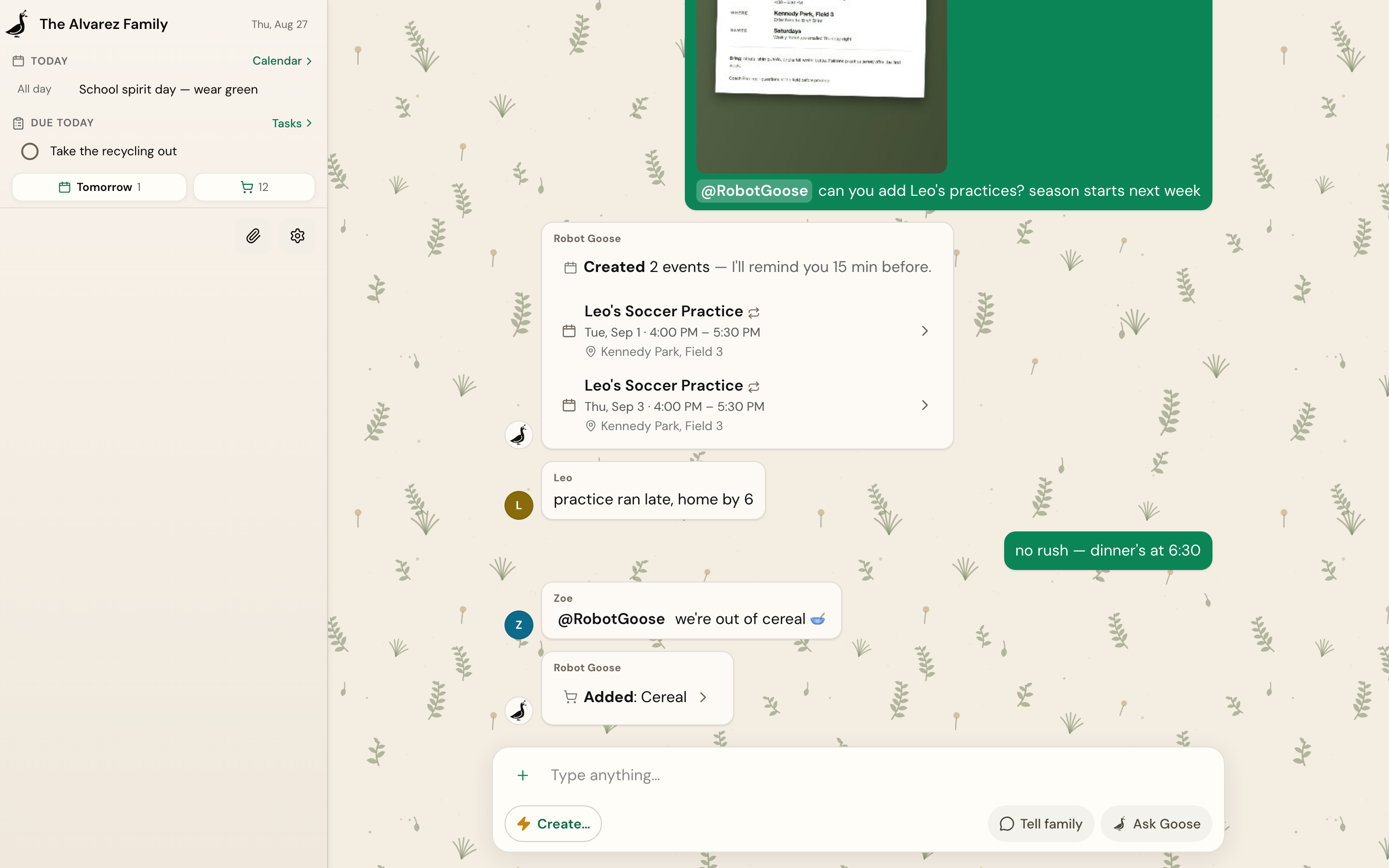
One chat for the whole family
Talk like a family. Call the goose when you need it.
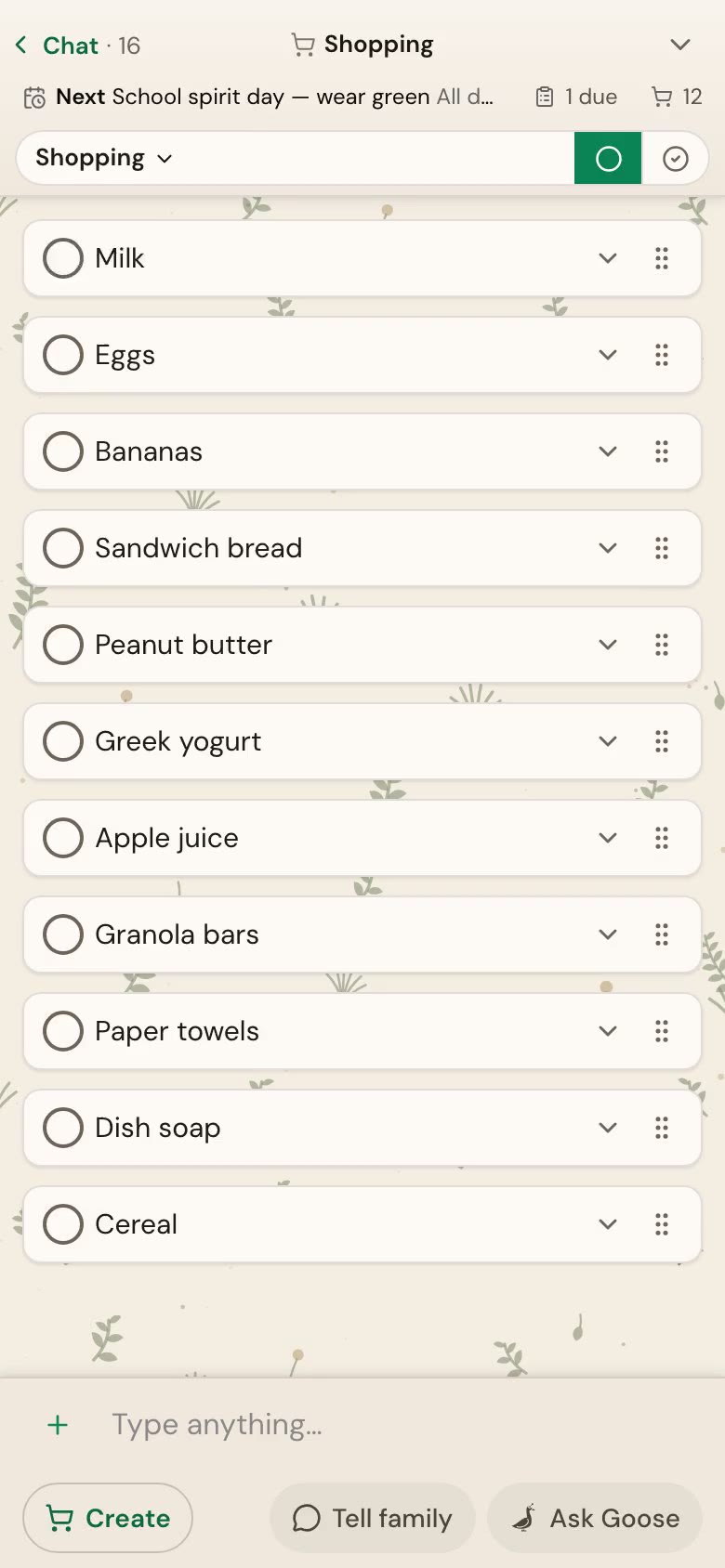
Family chat lives here — “practice ran late”, “dinner's at 6:30”. Robot Goose keeps quiet until someone asks. Then “we're out of cereal” lands on the shopping list, confirmed in the thread where everyone can see it.
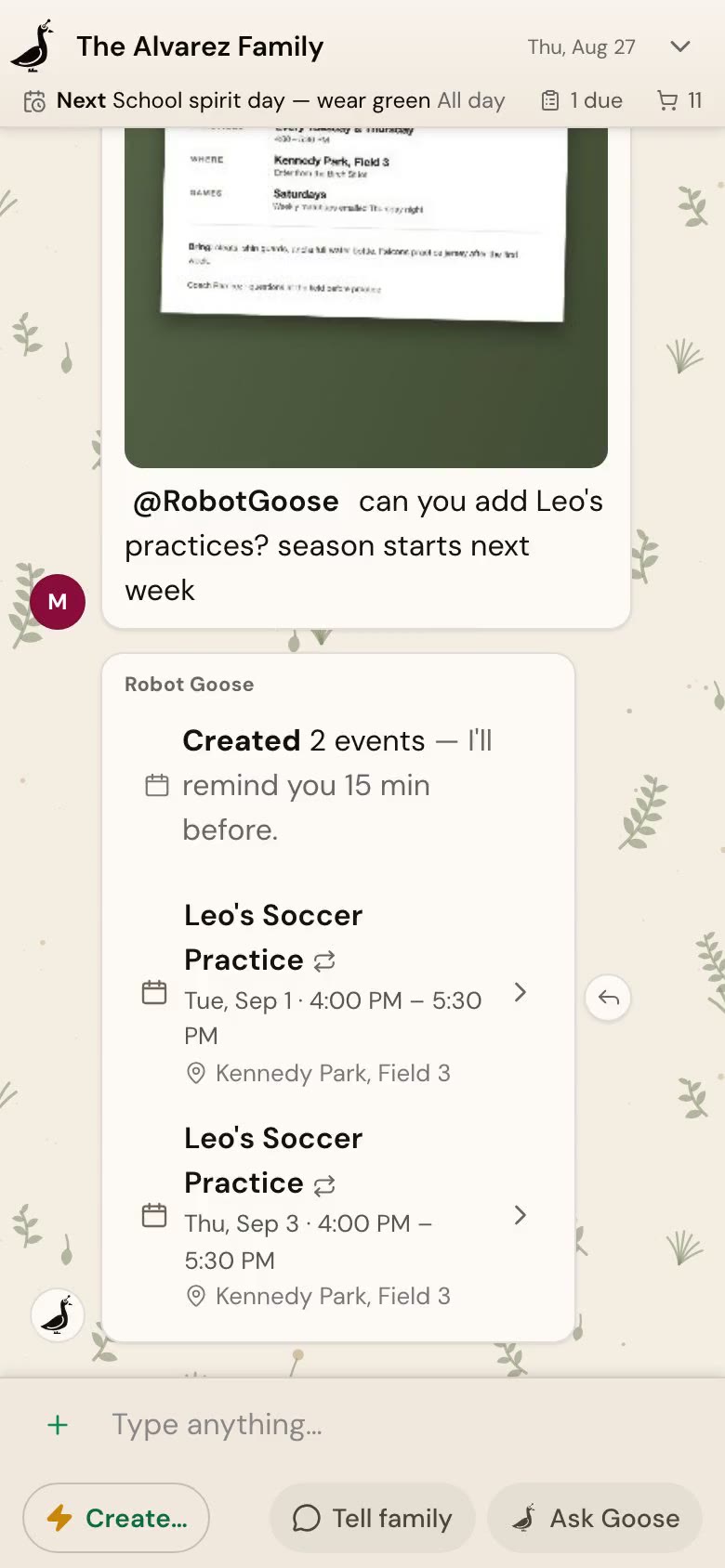
One shopping list, always current
Checked off at the store, updated for everyone.
Anyone can add, anyone can check off. When Ben grabs the milk at the store, the list updates for the whole household the moment he taps it. No more calling home from aisle five.
Tasks the whole family can see
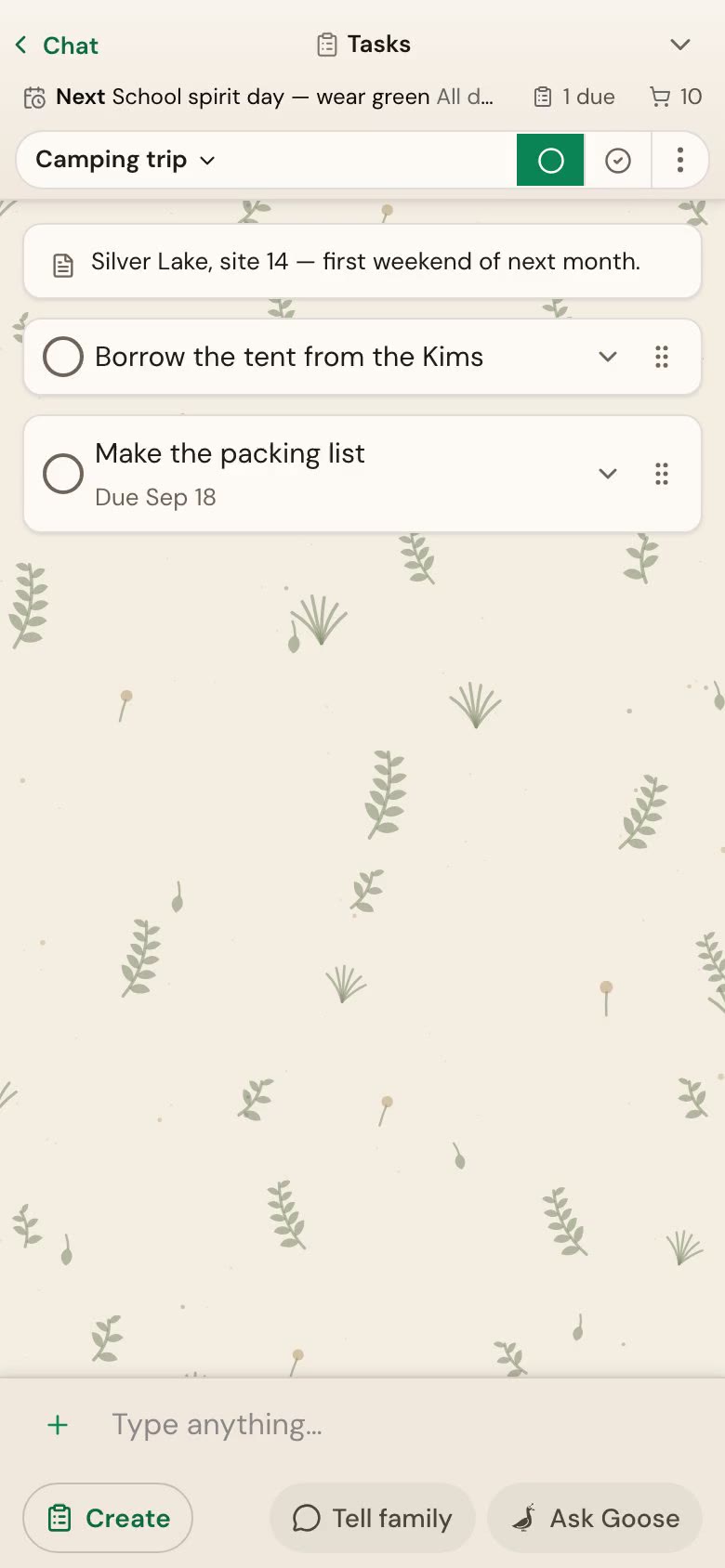
The camping trip plans itself out loud.
Group a trip's tasks in one place — the tent to borrow, the packing list with its due date, the campsite note — and check things off as they happen. Everyone sees where the plan stands.
A calendar you own
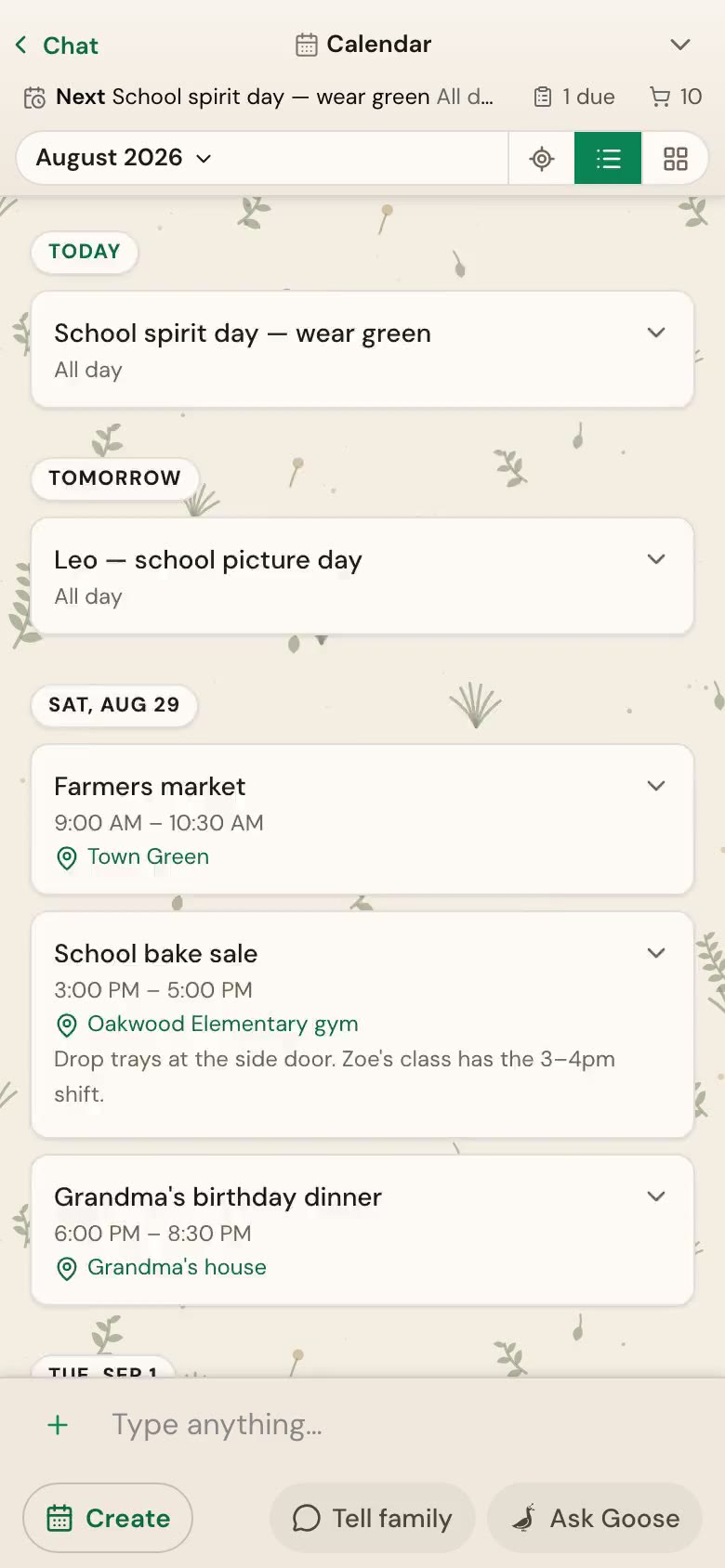
Every family event, in one place that's yours.
Your events live in Robot Goose — not scattered across personal accounts. Tap any day for the details. And subscribe once from Google Calendar, Apple Calendar, or anything that reads a calendar feed, so family events show up where you already look.
Your day at a glance
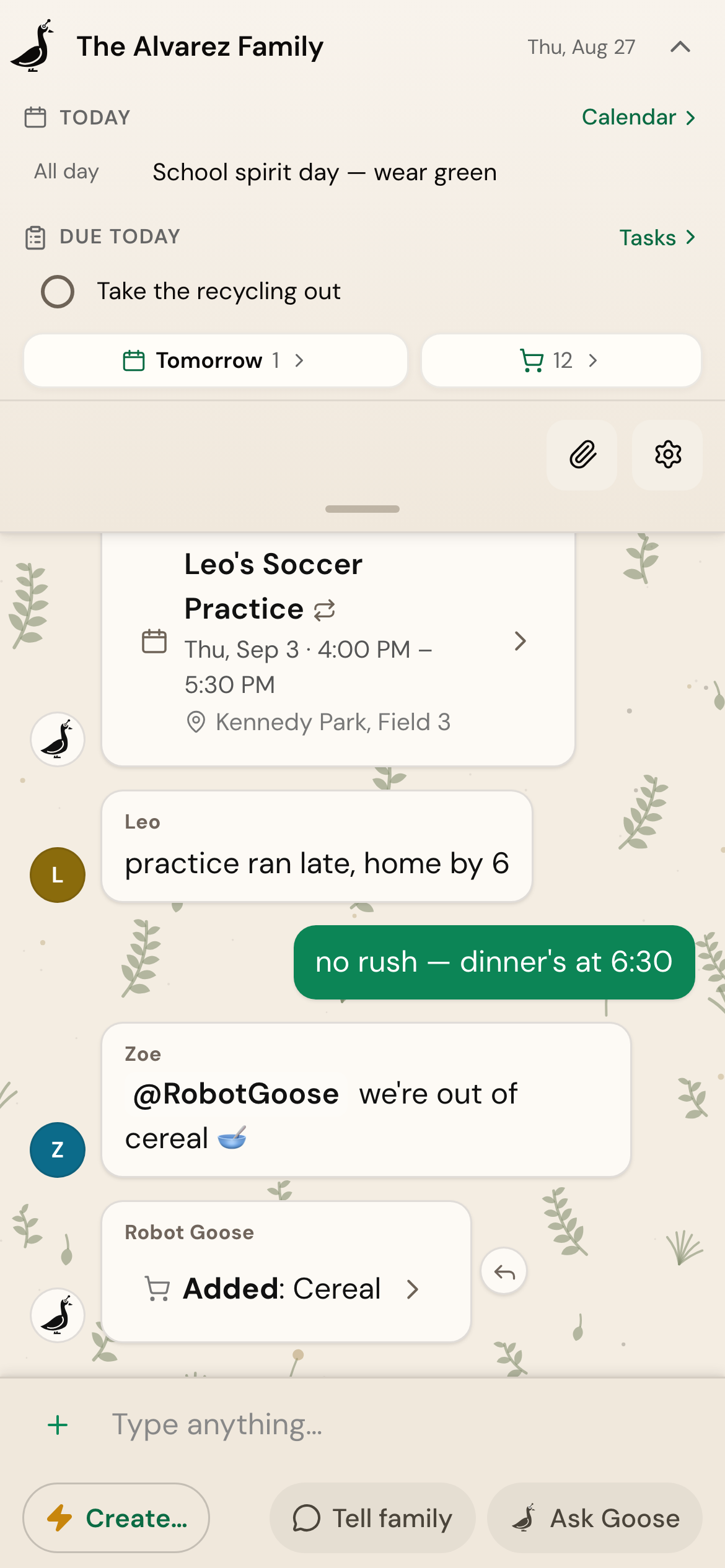
Today, before you ask.
Pull down from the top of any screen: today's events, what's due, tomorrow's count, and how long the shopping list is. One look and you're caught up.
Up and running in minutes
Three steps and your family has a shared assistant.
Sign in with Google
Use your Google account to sign in — that's your login, no new password to remember.
Open the app
Robot Goose runs in your browser and installs to your phone's home screen like any other app. Invite your household to join.
Just start talking
Say what you need in plain language. Everyone in your household can add items, create events, and check tasks.
Ready to organize your family?
Set up takes just a few minutes. Your family will wonder how they managed without it.